Premium rollout briefing

Package ThriveBeauty around the way your beauty business actually operates.

Use the public platform routes to qualify the business, review pricing, inspect included modules, and prepare a controlled rollout with the default branch included in the base package.

Choose the next action

Choose the rollout path that matches your business stage.

Start with pricing, category fit, branch count, provider readiness, or public listing so the next conversation moves directly toward a configured operating workspace.

Plan premium setup
Review the rollout checklist, branch count, selected business categories, and provider expectations before implementation starts.
Review package pricing
Confirm the base plan, expansion branch pricing, provider boundaries, and example monthly totals.
Inspect the platform suite
Review the operating modules included in the premium ThriveBeauty service package.
Browse listed businesses
Inspect how premium public profiles, category coverage, and booking entry points are presented on the platform.
Packaging tracks

A first branch, a growing chain, and a premium brand need different launch priorities.

Use the track that fits your current pressure: opening the first controlled workspace, cleaning up multi-branch operations, or strengthening reminders, trust, and customer communication.

Launching the first branch
Best for operators moving from paper, spreadsheets, or several disconnected tools into a single premium operating platform.
Clarify category fit, service mix, and default branch details.
Decide what provider channels need to be live at launch.
Expanding a multi-branch business
Best for owners who already run one location and need cleaner expansion billing, branch visibility, operational consistency, and approval flow.
Map current branches and next 12-month growth.
Confirm who owns branch policies, approvals, and reporting.
Rolling out communications and trust
Best for teams that need customer reminders, internal alerts, public listing, and profile presentation to feel like part of a polished premium service.
Plan consent expectations and notification channels.
Decide when to expose the business publicly in the directory.
What the rollout is aiming for

See the customer and branch standard your rollout is preparing.

The goal is a polished customer booking path, a faster reception workflow, clean service delivery, and owner visibility across bookings, payments, staff, stock, and branch activity.

Beauty brand owner reviewing customer and schedule information on a laptop.
Owner control

Pricing, branch growth, and approvals stay visible to leadership.

Owners can review dashboards, invoices, policies, approvals, and operational workspaces from the same managed web service.
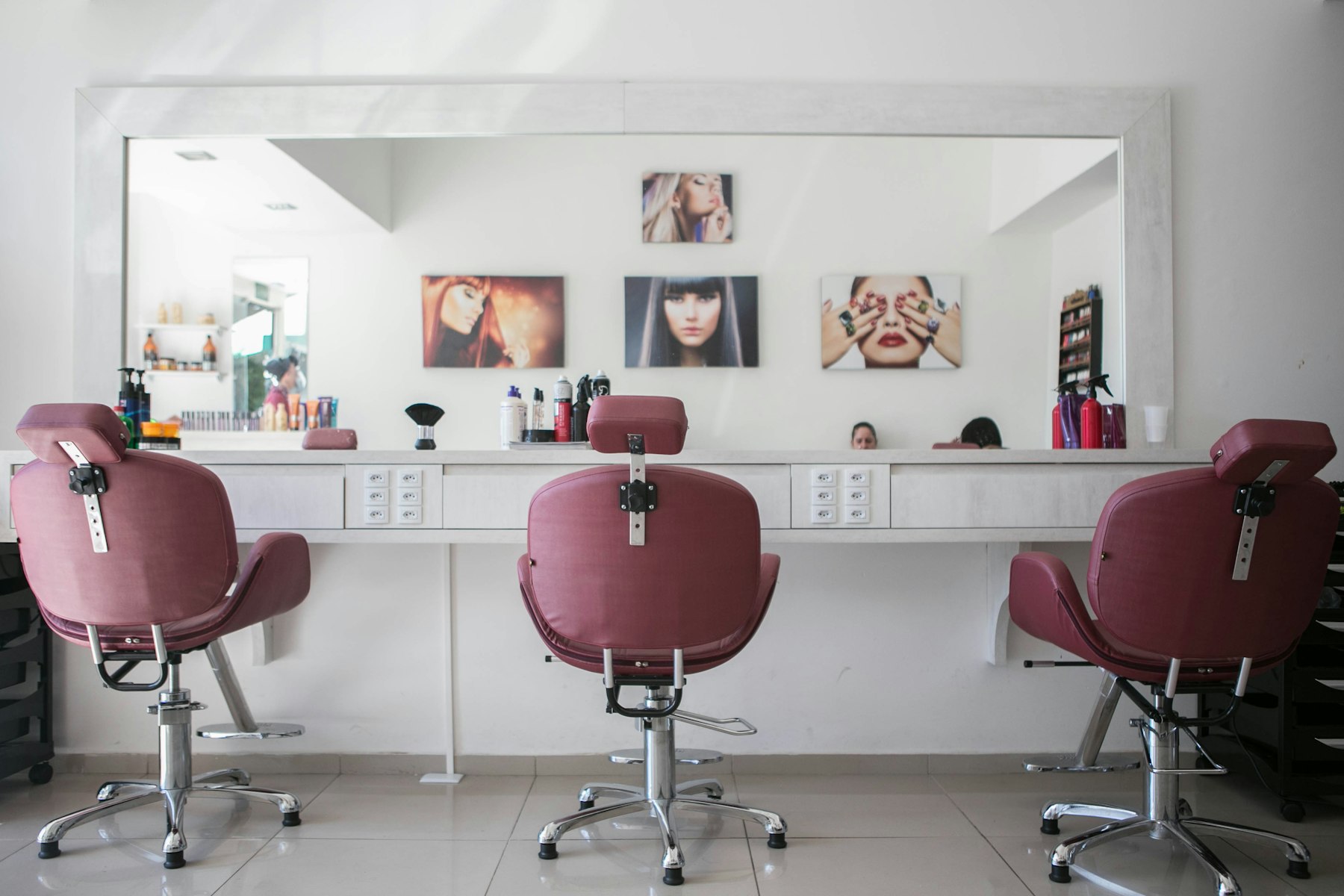
Premium beauty treatment room prepared for client appointments.
Branch readiness

Each branch can launch with clearer service, stock, and schedule discipline.

Default-branch onboarding is packaged to reduce setup friction and make later branch expansion predictable.

Customer-facing beauty brand environment with polished presentation and warm lighting.
Brand trust

Public discovery, booking, and business profile pages are part of the premium service.

The customer-facing layer is designed to build trust, not to feel like an afterthought beside the back office.

Category fit

Tell us which beauty categories your business runs.

The rollout plan changes when you run salon chairs, spa rooms, skincare consultations, nail or makeup appointments, beauty retail, home visits, office services, or several of these categories in one tenant.

Unisex salonsFemale salonsMale groomingSpa and massageSkincare clinicsNail and makeup studiosBeauty retailHome and office service teams
Unisex | Female | Male grooming
Salon operations
The platform is prepared for unisex salons, female-focused beauty bars, and male grooming or barber-led operators with category templates shaped around real chair-based service flow.
Covers hair styling, treatment, grooming, barbering, wash, and branch-level service execution.
Fits both one-location salons and operators scaling into several branches.
Spa | Massage | Wellness
Spa and wellness operations
Massage, spa, body treatment, and wellness businesses can package longer bookings, room or resource constraints, consumables, and therapist accountability without forcing everything into a salon template.
Supports premises, home, and office service models where configured.
Fits businesses where booking duration, treatment rooms, staff time, and product usage all matter.
Skin | Facial | Advanced treatments
Skincare and facial studios
Facial studios, skincare clinics, and treatment-led specialist teams can start from templates that respect consultation-led services, treatment duration, repeat visits, and staff skill mapping.
Useful for specialty studios that need premium appointment-led workflows.
Supports category mixes inside one tenant when the business blends skin services with other lines.
Nails | Makeup | Event prep
Nail and makeup studios
Nail bars, makeup studios, bridal-prep operators, and event-ready specialty teams can launch with templates that make add-ons, specialist services, and session packaging easier to configure.
Supports premium appointment-led nail, beauty, and event-prep service lines.
Works for operators who need category-specific pricing and service packaging instead of generic service rows.
Product shops | Consultations | Pickup
Beauty retail and product-led operators
Beauty product shops, consultation-led retail stores, and brands that mix services with product sales can manage commerce, stock, customer memory, and reporting from the same operating layer.
Keeps service and retail data close enough to inform decisions.
Supports pickup-order and product-led workflows alongside service operations.
Home | Office | Hybrid branches
Mobile and hybrid beauty teams
Businesses that travel to customer homes or offices, or combine studio work with dispatch-led services, can package travel-aware bookings, location capture, and hybrid service modes without leaving the platform model.
Supports home, office, and premises delivery modes where the service is configured for them.
Useful for hybrid operators who need one customer-facing presence across fixed branches and mobile teams.
Readiness checklist

Premium setup starts with the business model, not only a login.

These are the questions that shape tenant onboarding, branch count, pricing, service categories, provider setup, approvals, and notification consent.

How many branches are active today, and how many are planned in the next 12 months?
Which categories apply: salon, spa, skincare, massage, product shop, home or office services?
Which payment channels need to go live first: cash, card, Flutterwave, MTN MoMo, Airtel Money?
Who approves discounts, refunds, expenses, requisitions, payroll, and branch policy changes?
Which notification channels need customer consent: in-app, email, SMS, WhatsApp, push?
What gets packaged

Your rollout starts with concrete platform foundations.

The launch package prepares tenant setup, default branch setup, category-led services, security controls, billing context, notifications, and operational readiness checks.

Tenant and default branch setup
The launch path creates the tenant, default branch, initial invoice, and category-linked business record instead of dropping the operator into a blank workspace.
Base monthly package includes the default branch.
Branch growth is modeled explicitly from the first invoice onward.
Business profile and slug setup start during onboarding.
Category-led service templates
Operators can start from curated category templates so salons, spas, skincare studios, and beauty shops do not begin with generic catalog friction.
Supports several beauty business categories in one tenant.
Speeds setup for services, pricing, skills, and resource expectations.
Makes rollout feel relevant to the actual business model.
Security and preference controls
Account security, notification preferences, session policy, MFA, and access methods are part of the launch package rather than postponed until after go-live.
Fits premium expectations for access control and audit posture.
Keeps user and tenant settings visible from the start.
Reduces operational debt created by insecure early rollout.
Operational communication layer
Notifications, consent, quiet hours, provider health, and event routing are packaged as a core platform capability so reminders and business alerts have a controlled path.
Covers in-app, Firebase, email, SMS, WhatsApp, and WebSocket channels.
Aligns delivery channels with user and tenant preferences.
Gives operators a communications layer that belongs to the platform.
Package decision

The best next step is a configured tenant, not another static brochure.

Move from interest to a tenant plan with branch count, category templates, pricing boundaries, public listing, service setup, and provider readiness agreed up front.

Confirm branch count, category fit, and pricing boundaries before rollout.
Review service templates for the selected beauty categories.
Use platform invoices, security policy, notifications, and branch workspaces to validate launch readiness.
Confirm package pricing